
Summary
Registration is a one-time process which you perform to join a BlastShield network. It involves the following basic steps:
-
The new user opens the provided registration URL in a browser.
-
The user then scans the displayed QR code with the Mobile Authenticator app on their mobile device.
-
Using the Mobile Authenticator app, the new user will select the BlastShield™ network to join and perform a biometric check.
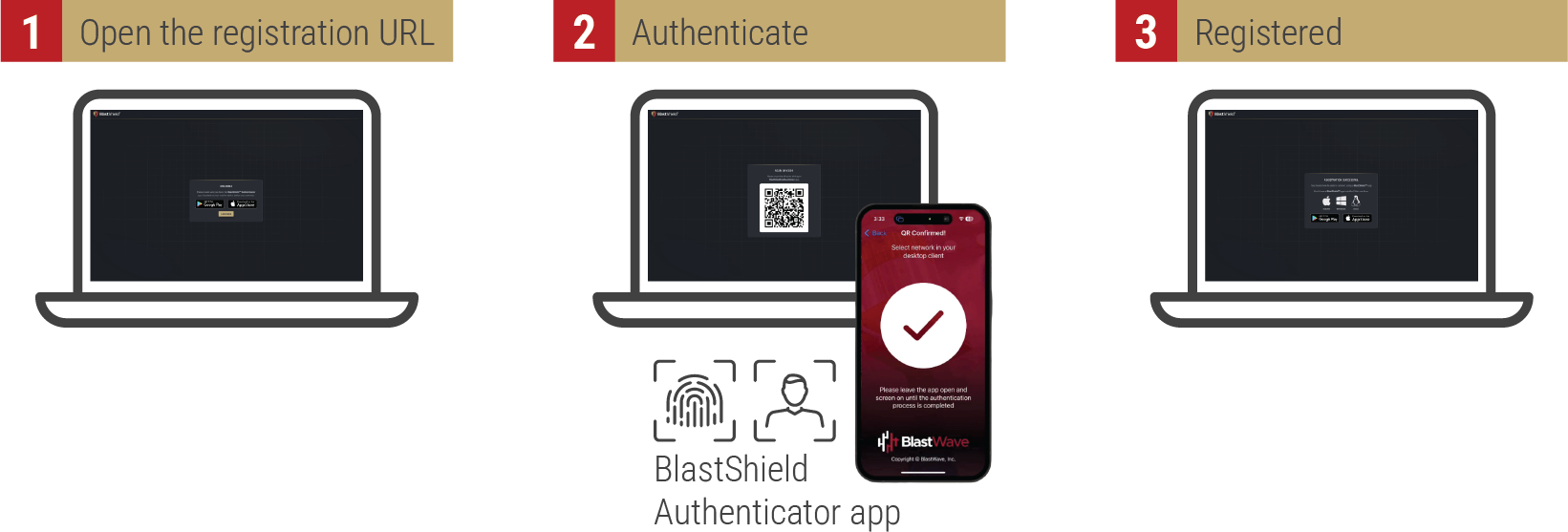
The new user should follow the process below to register using a provided registration URL
Procedure for new user registration
To learn how a new user should register with a BlastShield™ network, watch the following video or read the steps below. The new user must be in possession of their unique registration URL.
-
Open the registration URL in a web browser on your desktop.
-
You will see a reminder that you must have the BlastShield™ Authenticator app installed on your mobile device (the App Store links are displayed).
-
Install the BlastShield™ Authenticator on your mobile device.
-
In your desktop browser click Continue.
-
A one-time use QR code will be displayed in your browser.
-
Scan the QR code with the BlastShield™ Authenticator app on your mobile device.
-
You will then be prompted to complete the registration on the Mobile Authenticator app.
-
In the BlastShield Authenticator app, click Continue and select the network name.
-
Click Continue to finish.
|
Important |
|---|
|
The registration URL is single-use and cannot be re-used. |