
BlastShield™ Remote User access is highly secure and convenient. In just a few simple steps your remote users are quickly authenticated and connected to the BlastShield™ network of their choice. Below, you will find basic information about remote users, and remote user access into a BlastShield™ network.
|
Note |
|---|
|
User identification in the BlastShield™ network is based on public-private keypairs. All network users identify themselves using a combination of a randomized 64-bit node identifier and a 256-bit elliptic curve keypair. A public-private keypair is generated when a new user registers with the BlastShield™ network. When you register as a new BlastShield™ user using the Mobile Authenticator app, your private key is created on your mobile device and stored in it's secure enclave. |
Summary of Remote Access Methods
Once a new remote user has been added to the BlastShield™ network they will perform a one-time registration, and can then access the network as often as they wish. Remote access into a BlastShield™ network leverages a highly secure three-surface password-less authentication process, and can be accomplished by one of three methods:
Here you can find a summary of all the available methods to connect to BlastShield™. The following pages provide more information and provide more detailed instructions and how-to videos.
-
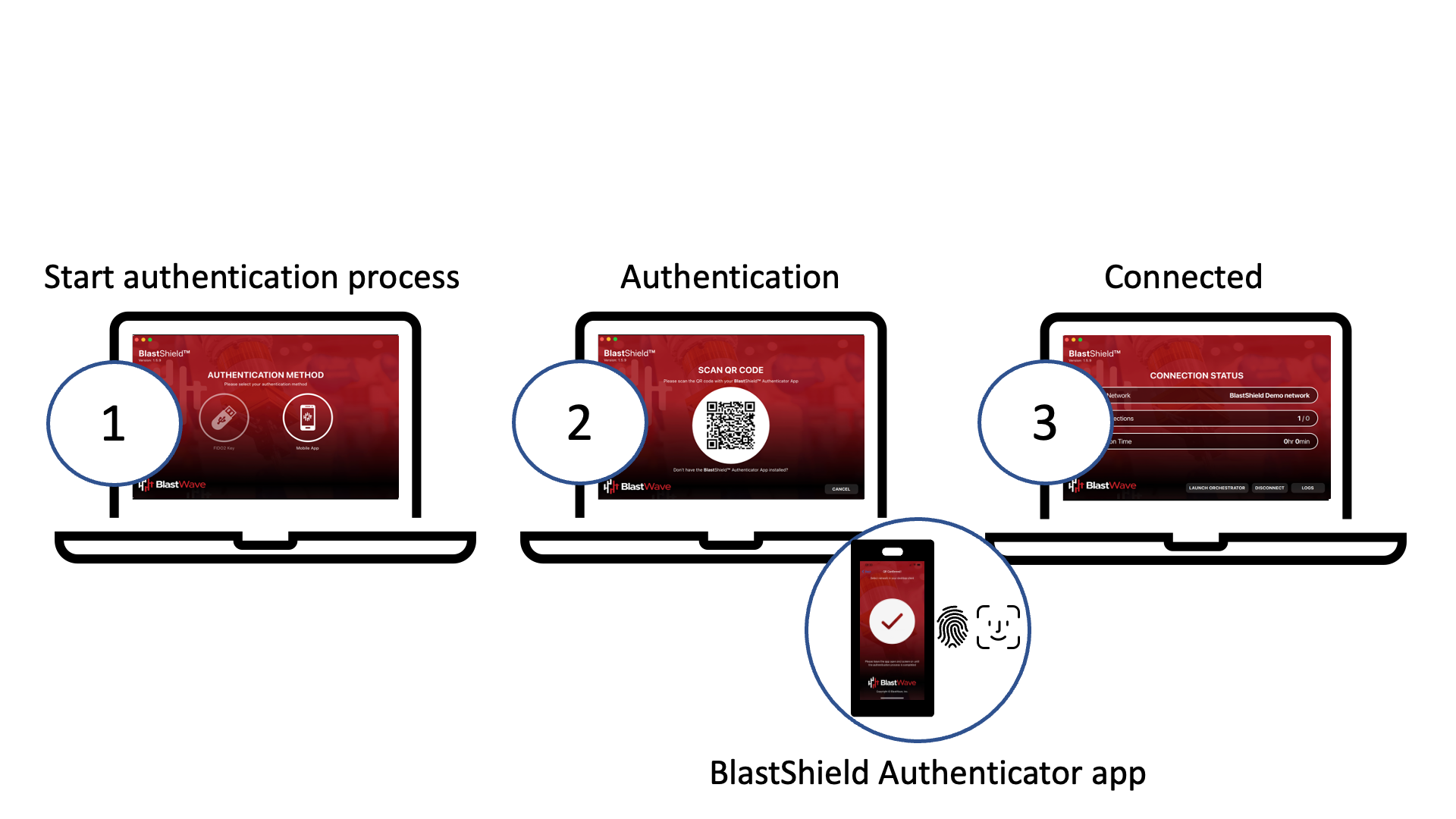
Accessing the network using the BlastShield™ Desktop Client.
Remote users can use the BlastShield™ Authenticator Mobile App combined with the the BlastShield™ Desktop Client to quickly access the network.
-
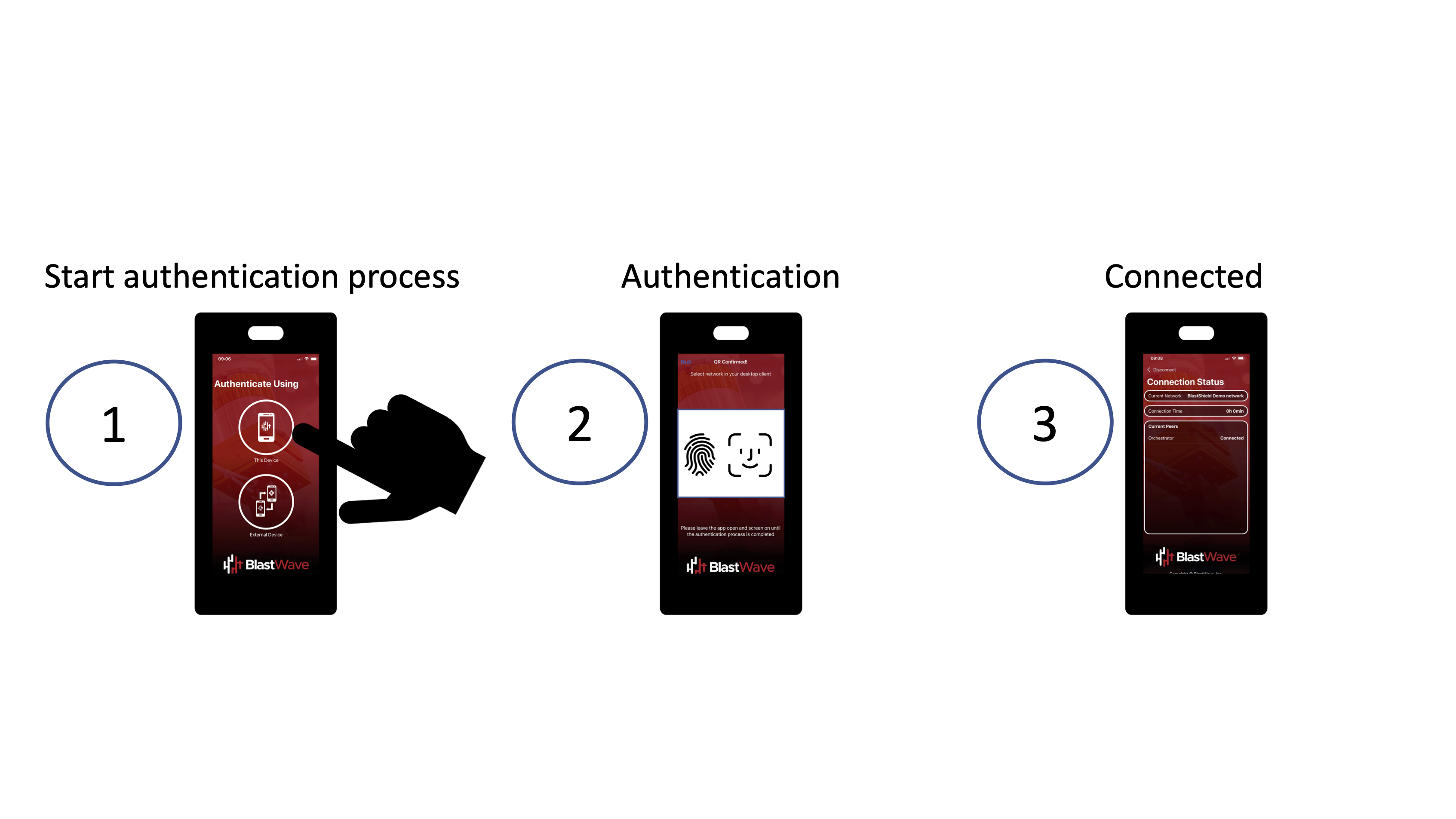
Accessing the network using your BlastShield™ Mobile Client App.
Remote users can use the BlastShield™ Authenticator Mobile Client App installed on their mobile device to conveniently access the network from their iOS or Android phone or tablet.
-
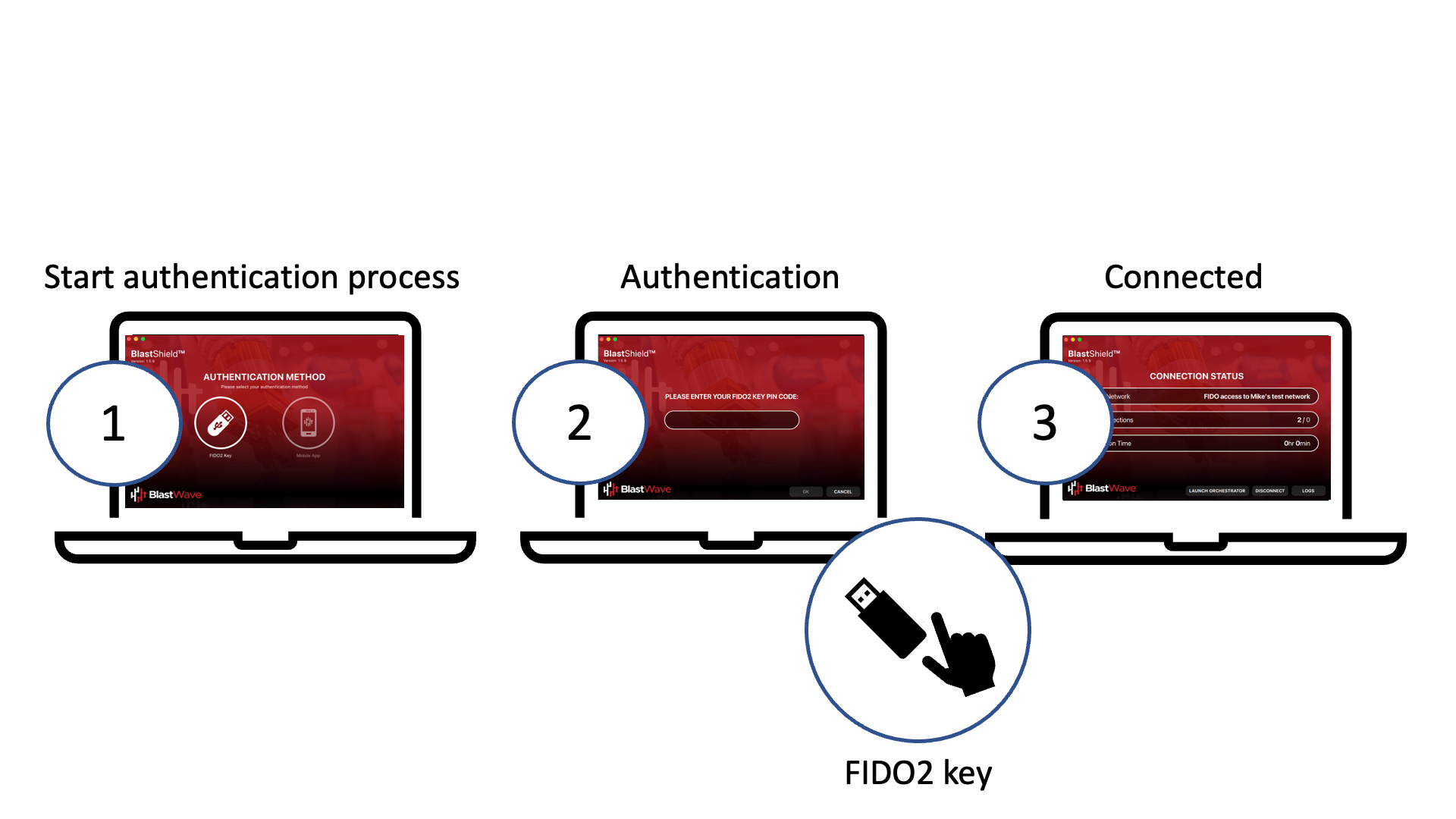
Accessing the network using a FIDO2 Key.
Remote users can use their FIDO2 Compliant key, and the BlastShield™ Desktop App to quickly access the network
Remote User Basics
Below are a few basics to remember when managing remote users.
-
Remote users cannot access a BlastShield™ network unless they have been added from within the Orchestrator.
-
By default, remote users are not associated with any Group. In order to access protected assets they must be added to a group and policy.
-
Which protected assets a user may connect to depends on the policy configured for that user in the Orchestrator.
In this section:
Using the Desktop Client and Mobile Authenticator app
Remote User Access using an SSO credentials for user authentication (Remote Access)