
-
From within the Orchestrator, select "Gateways" from the left Menu
-
Select the desired Gateway from the Gateway List
-
Select "Add New Endpoint"
-
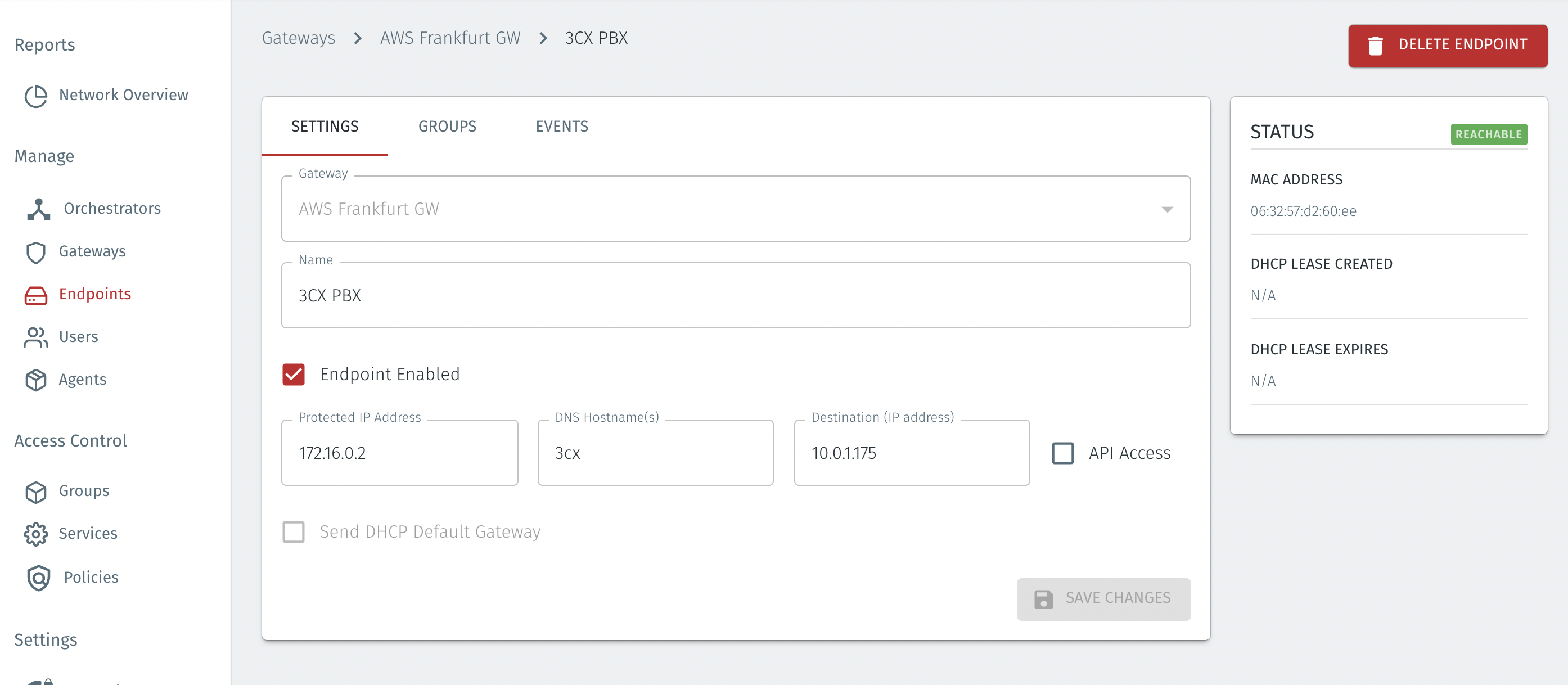
Enter a name for the new endpoint
-
Check "Endpoint Enabled" to Enable it when done (Note, the endpoint must be enabled to modify the IP address)
-
The IP address is auto-populated. You can change it to another IP address if necessary
-
Set the Endpoint Destination identifier.
-
NAT Addressing Mode (used for Cloud Gateways).
-
Find the IP address of the EC2 virtual instance which you will protect with the Gateway.
-
Enter the IP address for the EC2 virtual instance into the Destination (IP Address) box in the Endpoint configuration on the Orchestrator.
-
Select "Save Changes" to confirm.
-
-